
Deigning a Database
sqlite3 longlist.db
.schema is a SQLite command, not SQL keyword that shows the structure of the tables in the database along with the types of data.
.schema books to view schema of a specific table.
Creating a Database Schema
Normalizing
Reducing the redundancies in the table which happens by using a single table, names can be made into their own tables with unique id. and making use of foreign keys. The process of separating our data in this manner is called normalizing.
While normalizing, each entity is put in its own table and any information about a specific entity goes into the entity's own table.
Relating
Deciding how the entities are related. in one to one or one to many relationship using a ER diagram.
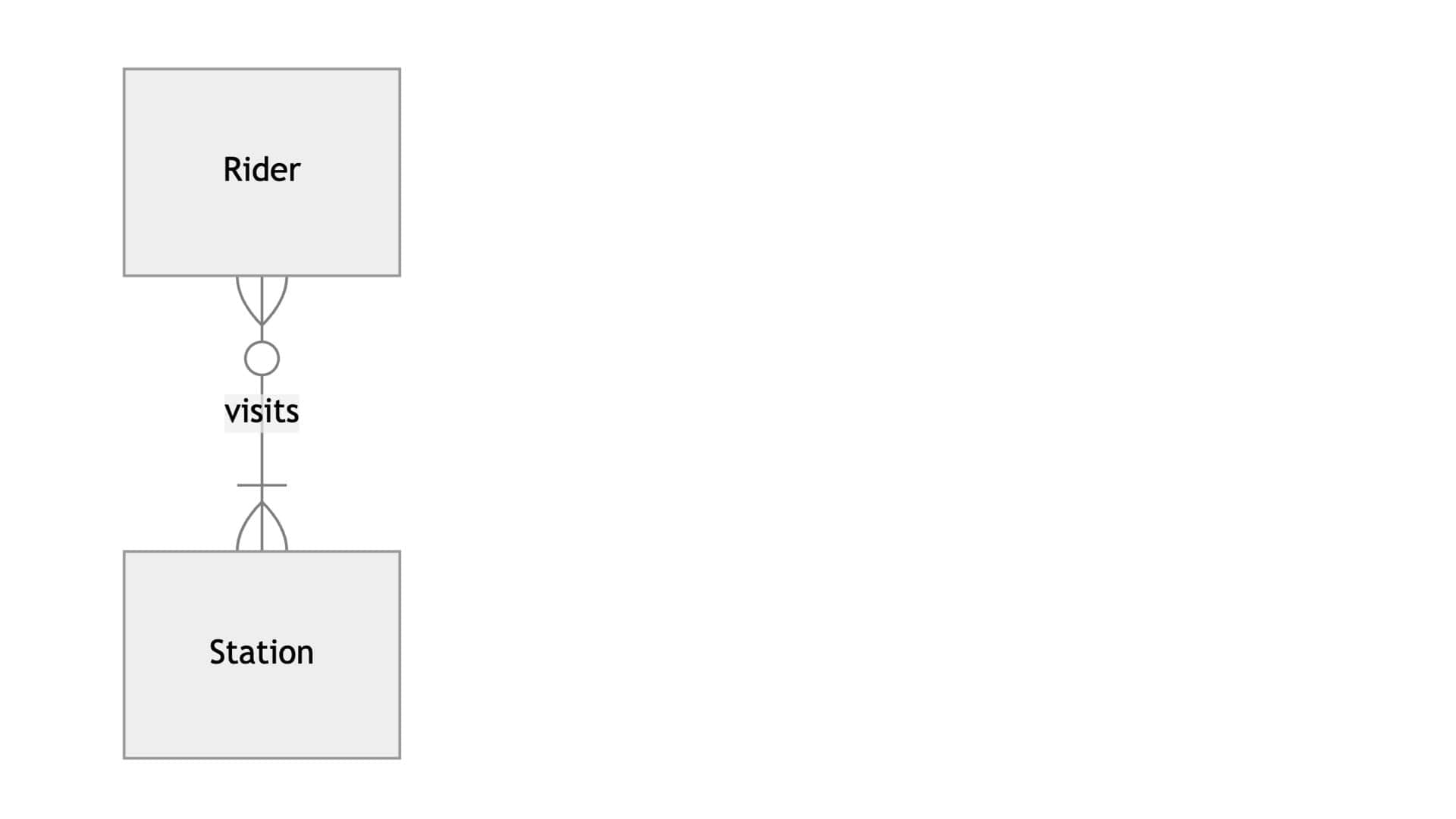
Rider must visit at least one station or many. Station can have zero riders or many.
CREATE TABLE
Once there is a schema for a table, it can be used to create a table.
Creating a new data base sqlite3 mbta.db If doesn't exist, it will create a new one.
Creating two tables for riders and stations
CREATE TABLE riders (
	"id",
	"name"
);

CREATE TABLE stations (
	"id",
	"name",
	"line"
);The basic names are assigned and types, primary and secondary id associations are added later.
Creating a junction table to join these two tables using foreign keys
CREATE TABLE visits (
	"rider_id",
	"station_id"
);Each row indicates the station visited by each rider.
Data Types and Storage Classes
SQLite has five storage classes: Null: Noting, empty Integer: Numbers without decimal points Real: Decimal or floating point numbers Text: Characters or strings Blob: Binary Large Object, for storing objects in binary like image, audio etc.
A single storage class can hold several data types, like this integer storage class.
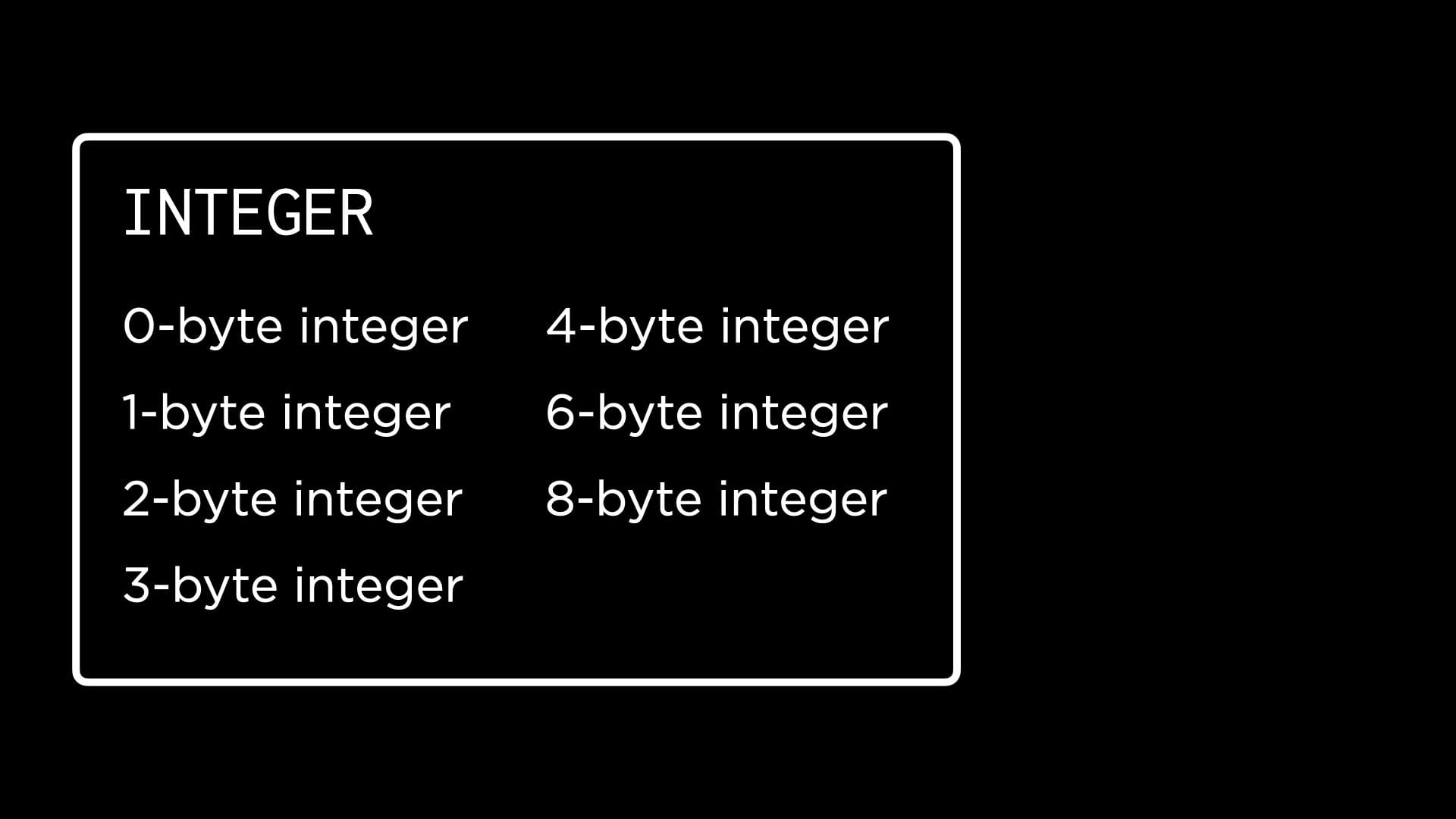
SQLite takes care of storing the input values under the right data type. So a programmer only need to choose a storage class. Each class has its own advantages and limitations so has to be chosen carefully.
Type Affinities
It is possible to specify the data type of a column while creating a table but the columns in SQLite don't always store one particular data type. They are said to have type affinities, meaning they try to convert an input value into the type they have an affinity for.
The five type affinities in SQLite are: Text, Numeric (integer or real), Integer, Real and Blob.
If a column with type affinity for integer is given "25", then it converts it into 25 which is an integer data type. Similarly 25 becomes "25" in a column with type affinity for text.
Adding Types to Tables
To delete the old tables before adding new tables with types.
DROP TABLE "riders";
DROP TABLE "stations";
DROP TABLE "visits";We can have a separate sql file which can be edited and read into the schema. code schema.sql to edit in the IDE
CREATE TABLE riders (
	"id" INTEGER,
	"name" TEXT
);

CREATE TABEL stations (
	"id" INTEGER,
	"name" TEXT,
	"line" TEXT
);

CREATE TABLE visits (
	"rider_id" INTEGER,
	"station_id" INTEGER
);This can be read within the database to create a schema. .read schema.sql
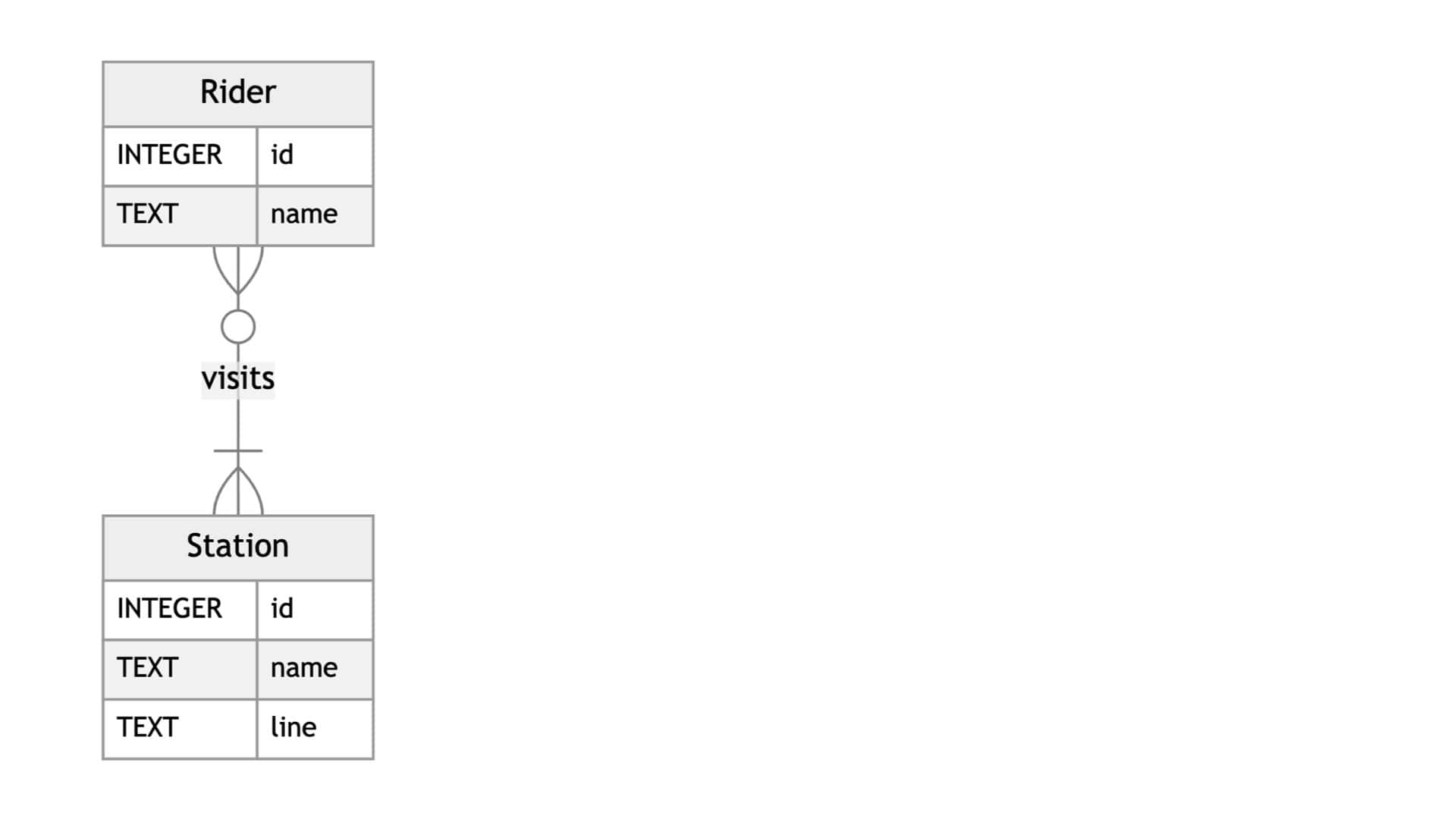
Table Constraints
These are used to impose restrictions on certain values in the table.
PRIMARY KEY column must have a unique value, and it cannot be null. similarly for FOREIGN KEY must be found in the primary key column of the related table.
Adding these constraints to the schema.sql file.
CREATE TABLE riders (
	"id" INTEGER,
	"name" TEXT,
	PRIMARY KEY("id")
);

CREATE TABEL stations (
	"id" INTEGER,
	"name" TEXT,
	"line" TEXT,
	PRIMARY KEY("id")
);

CREATE TABLE visits (
	"rider_id" INTEGER,
	"station_id" INTEGER,
	FOREIGN KEY("rider_id") REFERENCES "riders"("id"),
	FOREIGN KEY("station_id") REFERENCES "stations"("id")
);There are no primary keys in the visits table, it can be created but in SQLite every table will have a default primary key, which is known as row ID. Even though row ID is implicit, it can be queried.
It is also possible to create a primary key using two columns with two id's.
CREATE TABLE visits (
	"rider_id" INTEGER,
	"station_id" INTEGER,
	PRIMARY KEY("rider_id", "station_id")
);This is not preferable here since the constraint will be that the combination of these id should be unique, so each rider cannot visit a station more than once as it will not be unique.
Column Constraints
This applies to a specific column, there are four column constraints in SQLite: CHECK allows for checking a condition, (values > 0) DEFAULT uses a default value if none is supplied for a row NOT NULL Null or empty value cannot be inserted into a column UNIQUE every value must be unique in the column.
Applying these in the schema file,
CREATE TABLE riders (
	"id" INTEGER,
	"name" TEXT,
	PRIMARY KEY("id")
);

CREATE TABEL stations (
	"id" INTEGER,
	"name" TEXT NOT NULL UNIQUE,
	"line" TEXT NOT NULL,
	PRIMARY KEY("id")
);

CREATE TABLE visits (
	"rider_id" INTEGER,
	"station_id" INTEGER,
	FOREIGN KEY("rider_id") REFERENCES "riders"("id"),
	FOREIGN KEY("station_id") REFERENCES "stations"("id")
);No need to add column constraints to id which are already under primary key or foreign key as they will have to be NOT NULL and primary key has to be UNIQUE.
Altering Tables
Changing the tables to include charlie cards instead of riders.
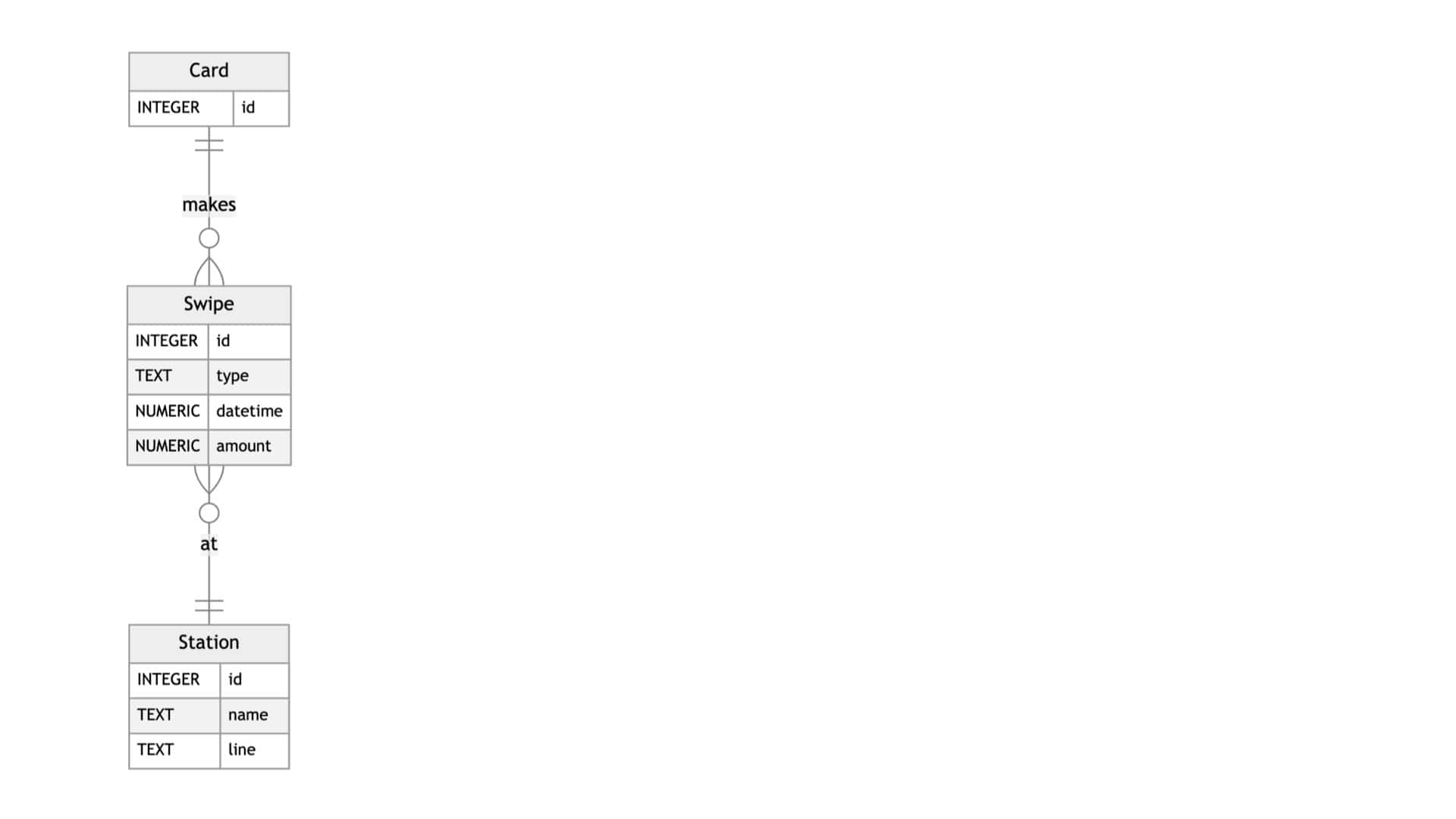
The swipe entity has id, type, date and amount to take entry of the swipe in a station, the card can be swiped only once at a given station but can be swiped in many times.
Using drop table to remove the ridersDROP TABLE "riders";
Altering the visits table, renaming it to swipes. Also adding, renaming and dropping a column.
ALTER TABLE "visits"
RENAME TO "swipes";

ALTER TABLE "swipes"
ADD COLUMN "swipetype" TEXT;

ALTER TABLE "swipes"
RENAME COLUMN "swipetype" TO "type";

ALTER TABLE "swipes"
DROP COLUMN "type"All these changes can be made directly in the schema file instead of altering the table like this.
CREATE TABLE "cards" (
    "id" INTEGER,
    PRIMARY KEY("id")
);

CREATE TABLE "stations" (
    "id" INTEGER,
    "name" TEXT NOT NULL UNIQUE,
    "line" TEXT NOT NULL,
    PRIMARY KEY("id")
);

CREATE TABLE "swipes" (
    "id" INTEGER,
    "card_id" INTEGER,
    "station_id" INTEGER,
    "type" TEXT NOT NULL CHECK("type" IN ('enter', 'exit', 'deposit')),
    "datetime" NUMERIC NOT NULL DEFAULT CURRENT_TIMESTAMP,
    "amount" NUMERIC NOT NULL CHECK("amount" != 0),
    PRIMARY KEY("id"),
    FOREIGN KEY("station_id") REFERENCES "stations"("id"),
    FOREIGN KEY("card_id") REFERENCES "cards"("id")
);CHECK("type" IN ('enter', 'exit', 'deposit')), is used to make sure it is one of these three.
DEFAULT CURRENT_TIMESTAMP adds the current date and time if not provided. has numeric type
CHECK("amount" != 0) to make sure the amount is not 0 in a swipe.
Dropping a Primary key which is refereed
When a table, column or row has to be dropped which has a primary key which is referred as foreign key in some other table, it will throw an error. First we have to drop the foreign key column, or remove the association before removing the primary key.